Modular Military Tents for Fallout 4 (Bethesda Verified Creator Program)
Transform your game worlds with Marvelous Designer! 🎮
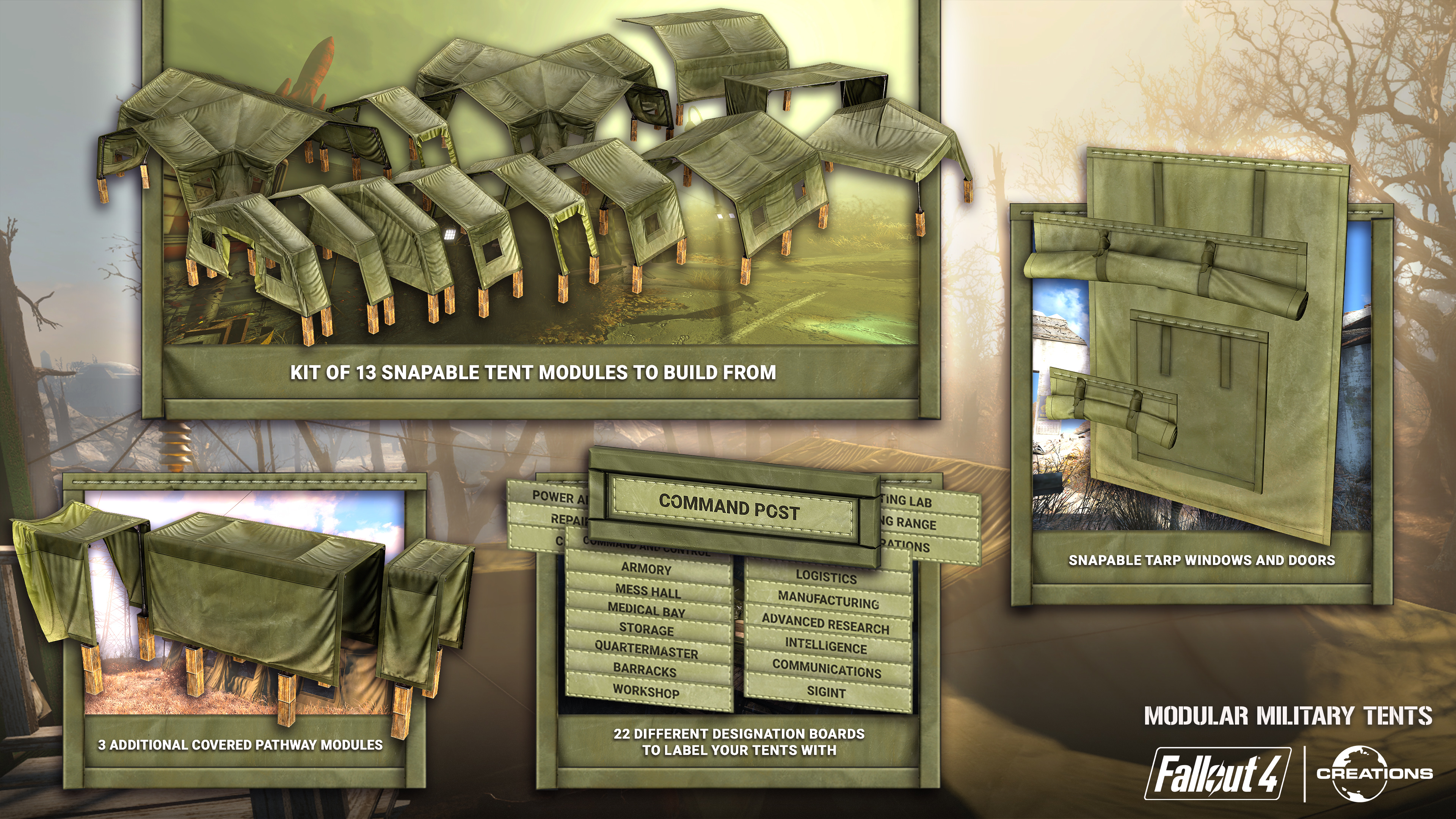
3D Artist Shaafi Ahmad created a stunning "Modular Military Tents" workshop kit for Fallout 4, allowing players to build fully custom networks of barracks, outposts, and forward operating bases with snappable tarp tents. Check out how he seamlessly turned rigid 3D models into realistic cloth simulations using our "Object to Garment" feature.
 Transform your game worlds with Marvelous Designer! 🎮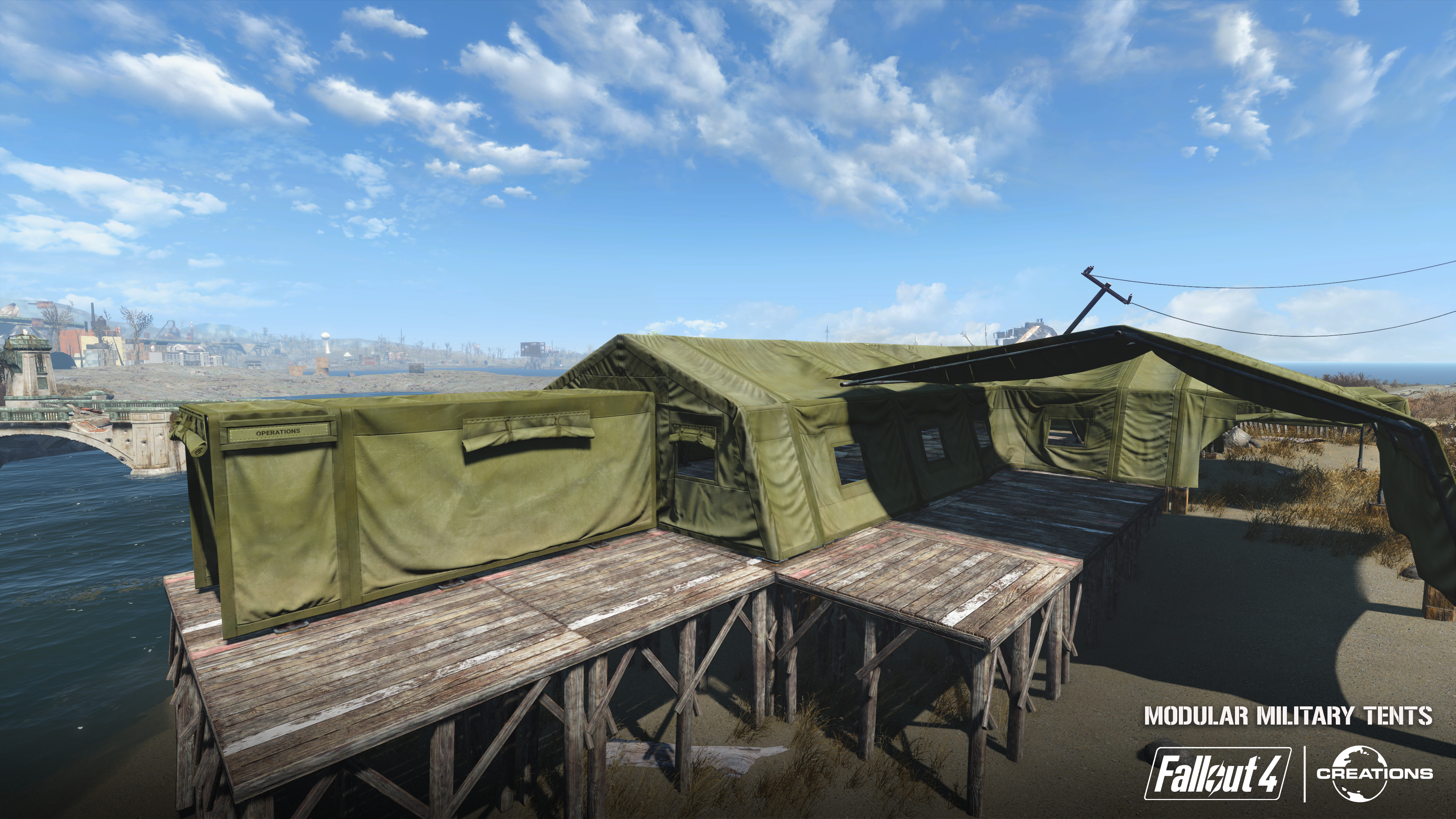
Software Used
Blender – Modeling
Marvelous Designer – Cloth Simulation
Marmoset Toolbag – Texture Baking
Substance Painter – Texturing
Creation Kit and other modding tools – In-game
Artist Introduction
I’m a 3D artist and I mainly work on hard-surface assets and character outfits. 3D for me started as a hobby, playing around in Blender. I’m self-taught in everything I do.
You recently developed a project for Fallout 4 through Bethesda’s Verified Creators Program. Could you tell us more about this program and what inspired you to create the 'Modular Military Tents' kit?
With the Verified Creators program, artists and modders can make additional content called mods for the games marketplace. Currently, we can make mods for Fallout 4, Skyrim, and Starfield. I’m currently making them for Fallout 4.
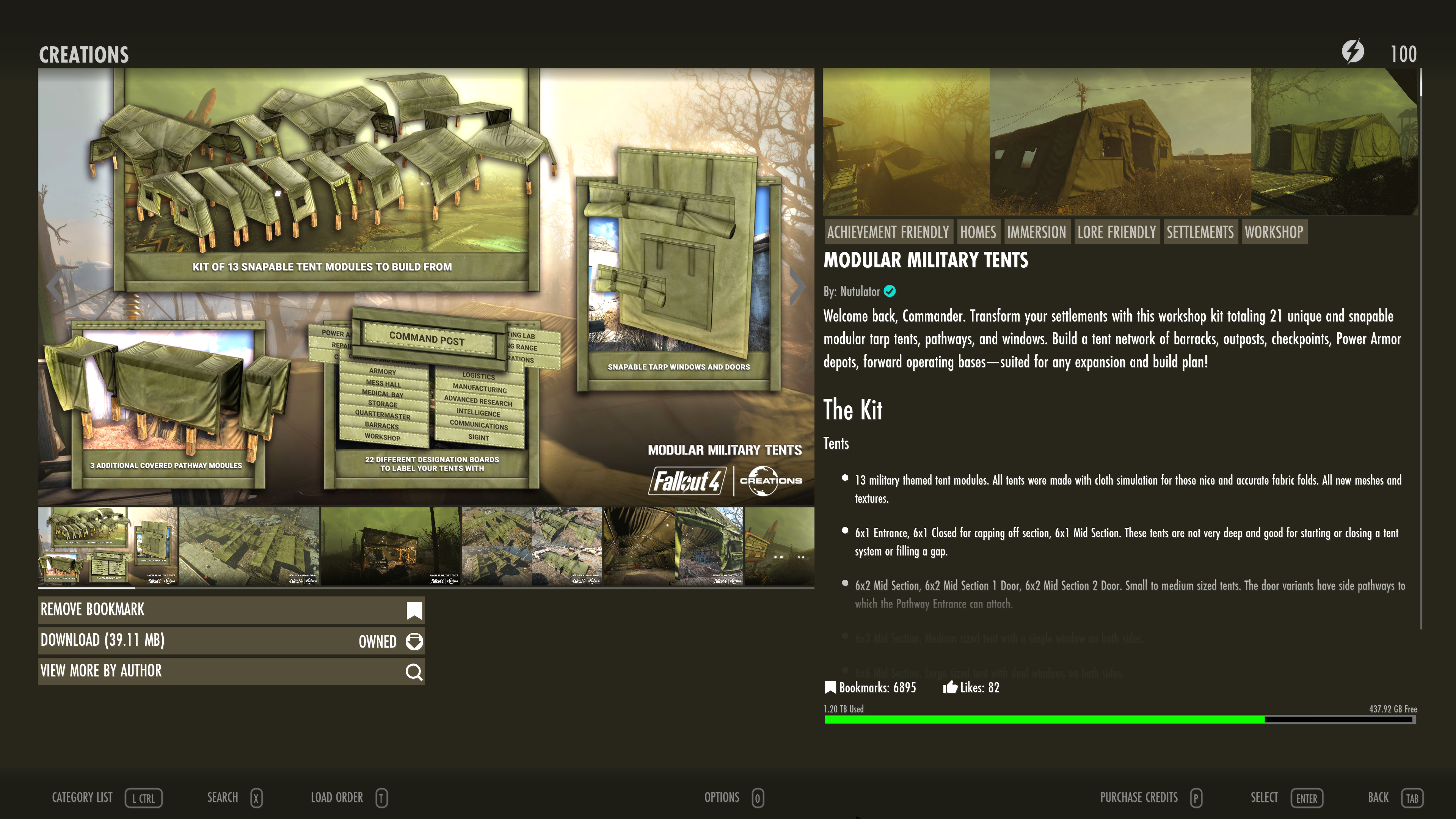
Since Fallout 4’s release back in 2015, no one had made tents for the game. It was missing from its settlement workshop, and I wanted to be the first to make this. Now players can use different snappable tent modules to make outposts and barracks in their settlements.
Tell us how Marvelous Designer creates value in this project.
Since these tents are made out of tarp/cloth, Marvelous Designer was a critical step in the workflow. Their entire appeal is having a realistic and nice drapery look to them.
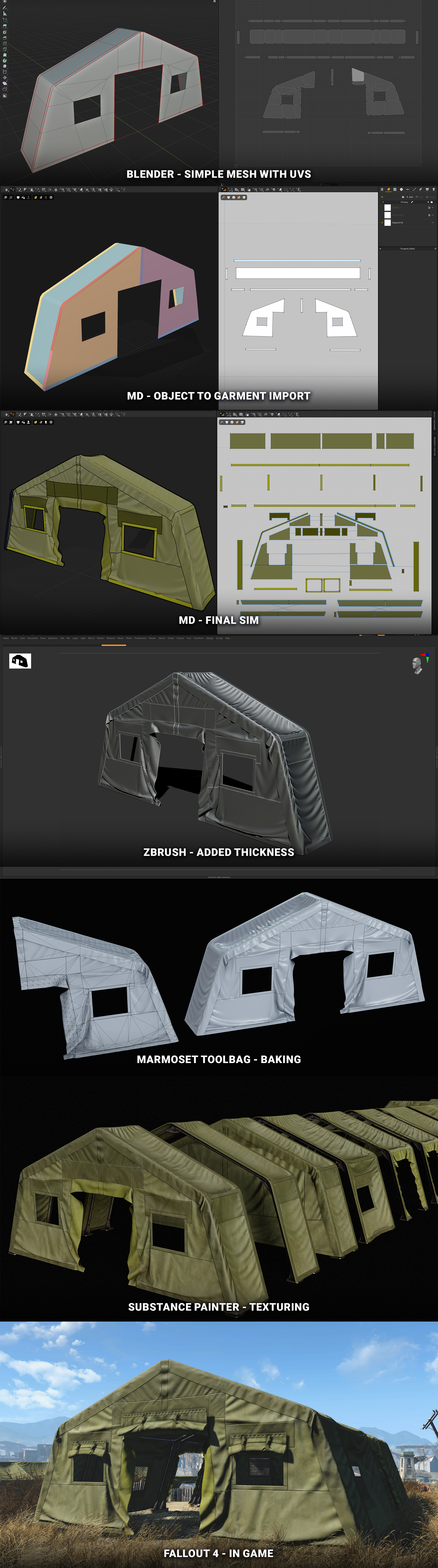
After I initially imported the simple mesh with Object to Garment, the patterns were cut up and sewn for more details.
Workflow-wise, for various reasons, including Fallout 4’s own limitations, I decided to make each module’s UVs unique and bake them to their own texture set. Usually, big environment assets share tiling textures, but I did not do that here.
Can you share some practical methods for creating game-ready assets?
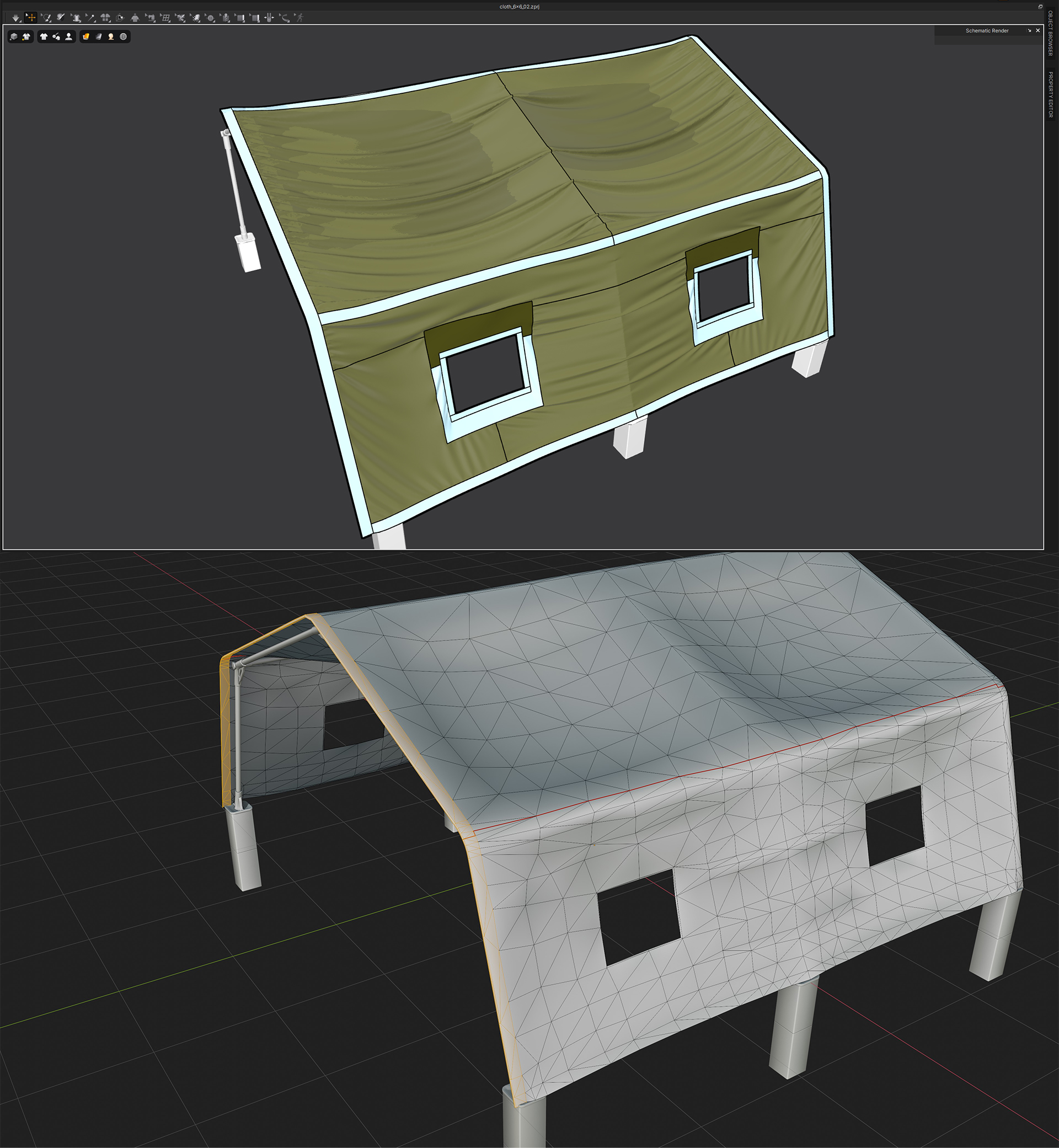
Two major features I used when making the tents were Object to Garment and Freeze.
For measurement and placement reasons, I modeled a simple mesh in Blender before bringing it into MD with the Object to Garment feature for simulation.
This mesh was unwrapped quickly and automatically, so when the mesh is a pattern after import, it has UVs. Any parts that I initially wanted as separate patterns, I unwrapped as separate UV shells.
Since this was a modular kit where each module had to connect to another without gaps or different shapes, the borders were frozen with Freeze and only the patterns sandwiched in between were simulated.
The rolled tarp windows in your tents are a fantastic detail. Do you have any specific workflow tips on how to achieve that look? And what is your favorite feature or tool to use in Marvelous Designer?
For the rolled tarps I used the same method of modeling a simple mesh in Blender and then simulating after importing it with Object to Garment. This is the fastest way to do it.
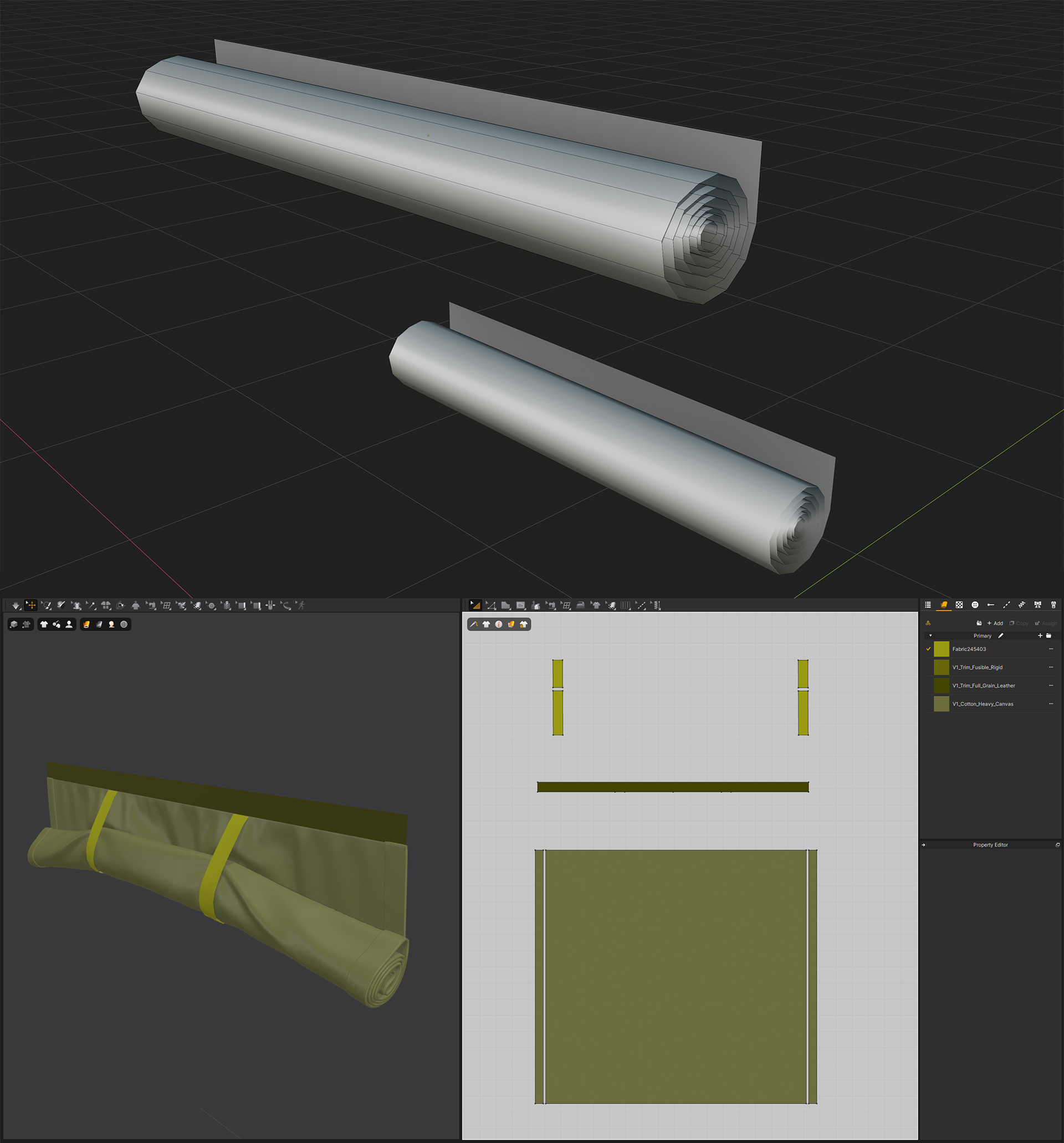
I really like the Schematics Render feature and the Show/Hide Color menu. A lot of times I want to take screenshots, but without the colors of Freeze, Solidify, or Strengthen, and this is perfect for that.
이 작업은 Blender, Tent, Import_Export, Pattern, environmentart 등의 기술로 제작되었습니다.
Marvelous Designer로 이와 같은 3D 의상·캐릭터 작업을 직접 만들어볼 수 있습니다.